
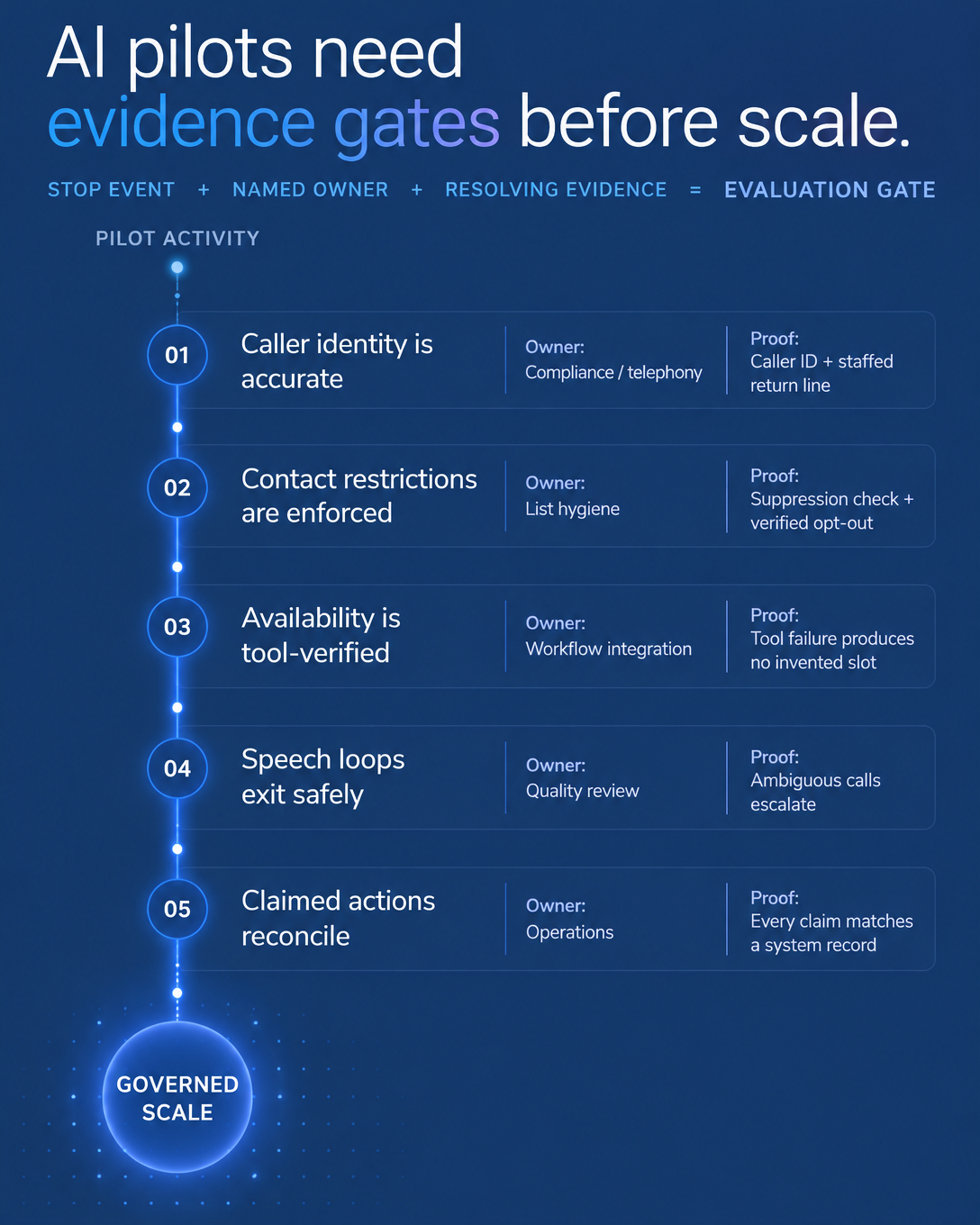
Public discussions about AI receptionists and AI SDRs, such as this thread on whether AI receptionists are still a good business and this thread asking whether companies are actually using AI SDRs, describe mixed experiences. They are anecdotal, so treat them as context. They still raise a practical question for any team planning a first rollout: what should the AI do first?
Our recommendation at Vantara is to start with one defined, useful job. Set its limits and handoff, configure the connections it needs, and review the evidence before adding scope.
Choose One Job and Write Its Limits
A good first job happens often enough to produce evidence quickly, has a clear end state, and already costs your team something when it gets dropped. Two illustrative options:
After-hours intake of a non-emergency enquiry. The AI answers outside business hours, identifies itself, captures the caller's name, number and reason for calling, and explains what happens next. Emergencies are directed to the channel set in your rules.
A callback to a lead who has given the necessary permission for that call. Disclosure and permission are separate requirements: the disclosure tells the person they are speaking with an AI, and the permission must already exist before the call.
Then write the limits. List the topics the agent can handle, the topics it must decline or hand off (pricing exceptions, complaints, account changes, anything urgent), and the person or team who receives each handoff.
Configure the Connections the Job Needs
In Vantara, each job is set up with a configured purpose (Sales, General Outbound or Front Desk), a caller identity, and the rules the agent follows. Where your plan and setup support it, you can connect a supported calendar for booking and a supported CRM for logging outcomes, turn on optional call capture and notes, and route calls through a supported handoff.
Confirm these dependencies during setup instead of assuming them. Your plan, permissions, handoff destination and provider readiness all affect what the first rollout can include. A booking step works only when the calendar connection is live and the agent can see availability.
Define Capture, Success, Pending and Exceptions
Before launch, agree on four definitions.
Captured: the fields the agent records on every call, such as name, callback number, reason for call and preferred time, plus notes or transcripts where capture is enabled and permitted.
Confirmed success: an outcome you can verify, such as a booking that appears in the connected calendar, or an intake record with all required fields logged in the CRM.
Pending: anything without a confirmed outcome. A caller who asked for a follow-up, a booking the calendar did not confirm, or a handoff the recipient has not acknowledged stays pending until someone closes it.
Exceptions: calls outside the agent's limits, failed transfers and incomplete records. Name one reviewer who owns these each day.
Some calls will end without a booking, some leads won't fit your criteria, and some handoffs will need a person to add context. These definitions make those cases visible.
Review the Evidence Before Expanding
For the first two weeks, review transcripts, notes and recordings where capture is enabled and permitted. Check whether the agent stayed inside its limits, whether confirmed outcomes match the calendar and CRM, and whether pending items were closed. Add a second job only when results hold steady against your definitions, and give that job its own rules and handoff.
An Illustrative Rollout
This example is hypothetical. A home services company configures a Front Desk purpose for non-emergency enquiries after 6 p.m. The agent captures name, number, service area and job type, offers a slot through the connected calendar, and marks anything it cannot book as pending. Each morning, the office manager reviews pending items and exceptions, calls back where needed, and checks whether the agent stayed within its limits. After a few weeks, the team decides whether to adjust the rules or add a second job.
Launch Checklist
One job chosen, with its purpose and caller identity configured
Limits and handoff rules written, with a named recipient
Permission confirmed for any outbound call, separately from disclosure
Calendar and CRM connections tested, where supported on your plan
Capture and notes settings chosen and checked against your obligations
Success, pending and exception definitions agreed
Daily reviewer named for the first two weeks
Criteria for adding a second job written down
FAQ
How long should the first job run before we expand?
Until a meaningful sample of calls shows consistent results against your definitions. Call volume matters more than the calendar.
Can the AI call leads as soon as they submit a form?
Outbound calls depend on how the job is configured, your plan, provider readiness and the permission you hold for that specific call. Confirm those first and treat call timing as a configuration decision.
Do we still need people involved?
Yes. Someone owns the handoff destination, reviews exceptions and closes pending items outside the agent's limits.
To see how a single configured job, its handoff and its conversation evidence look in practice, you can book a demo at ai-vantara.com.