
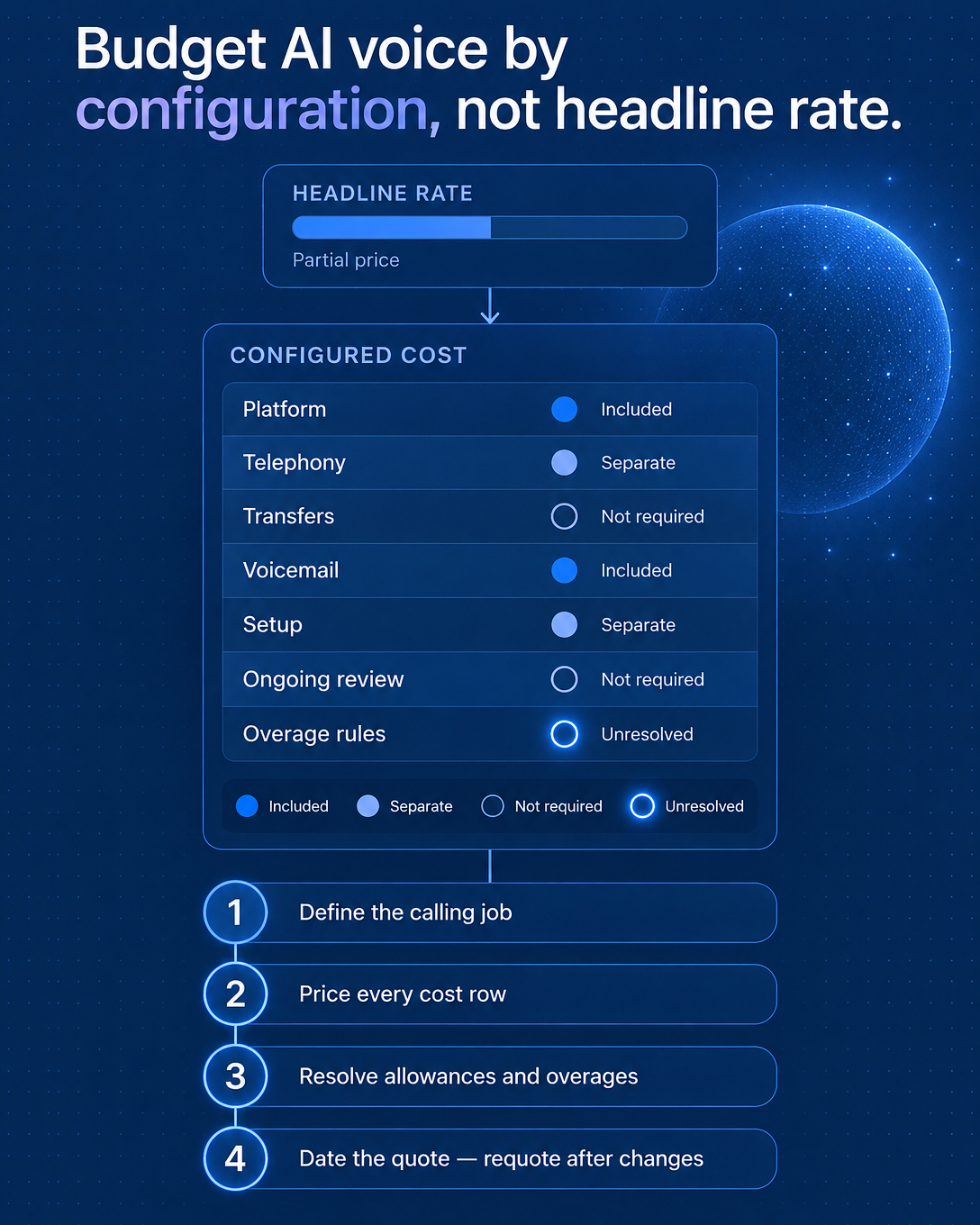
To scope AI calling costs, start with four definitions: the workflow you need, the usage you expect, the phone numbers you require, and the destinations, languages and integrations involved. Once those are written down, ask each vendor for a total quoted cost and its limits for that exact scope, then compare the quotes side by side.
A published minute rate is a useful cost component. It tells you what usage costs at the margin. To turn it into a budget, multiply it by realistic minutes and add the fixed and optional items your scope requires.
Step 1: Define the Workflow and Usage
Write a one-page scope before talking to vendors. It should cover:
Workflow. Inbound reception, outbound calling, callbacks with context from the original call, or a combination. Note where a human should take over from the AI.
Usage. Expected calls per month, average call length, peak periods and the hours you need covered.
Numbers. How many phone numbers you need, which types, and whether you plan to port existing ones.
Destinations and languages. The countries you call or receive calls from, and the languages your callers speak.
Integrations. The calendar used for booking and the CRM where call outcomes should land.
Step 2: List Every Cost Component
Quotes combine several items. Which ones apply depends on the vendor and plan, so treat this list as a set of items to confirm with each vendor.
Included usage. The minutes or calls covered by the plan.
Number and seat fees. Charges for phone numbers and user seats, if the vendor uses them.
Setup, if applicable. Onboarding or configuration work.
Optional capture and add-ons, where relevant. Call recordings, transcripts, a meeting agent for meeting capture, or premium voices.
Retention. How long recordings, transcripts and summaries are kept, and whether longer retention depends on the plan.
Usage beyond the limit. Whether extra usage is billed as overage or service stops at the cap. Ask which applies and what notice you receive.
Step 3: Confirm Availability and Dependencies
Configured booking and CRM logging depend on supported tools, setup and permissions. If your calendar and CRM are supported and connected with the right access, the AI can book appointments and log call outcomes. Ask which tools are supported today, what access each connection needs, and which plans include them.
Availability works the same way. Destination coverage, language support and telephony provider readiness can vary by country and number type, and coverage hours depend on configuration and plan. Confirm each item for your scope before you compare quotes.
An Illustrative Scope Comparison
The two scopes below are illustrative and contain no prices. They show how scope changes what a vendor needs to quote.
Scope A: A local service business wants AI reception during business hours in one language, one local number, booking into a supported calendar, call summaries in its CRM, and standard recording retention.
Scope B: The same business adds after-hours coverage, outbound callbacks with context for missed calls, a second destination country, a second language, human handoff for complex calls, and longer retention.
Scope B raises usage and adds questions about numbers, destinations, languages and retention. Compare vendors on the same scope, using total quoted cost and limits, so the numbers line up.
Questions to Ask Every Vendor
What does the quote include for my workflow, usage and coverage hours?
How much usage is included, and what happens at the limit: overage billing or a stop?
Are there number, seat or setup fees for my scope?
Are recordings, transcripts, meeting capture or premium voices included, optional or unavailable on my plan?
How long is conversation data retained, and can I change that?
Which calendar and CRM tools are supported, and what setup and permissions do they need?
Are my destinations, languages and number types ready to use today?
Which features depend on a specific plan?
Public Discussions and Product Information
Public threads such as this request for AI receptionists and this discussion on whether AI receptionists are still a good business on r/AIReceptionists offer qualitative perspectives from buyers and builders. Read them as context on how buyers think about the category. For product information, the Vantara pricing page is the place to check current plans and what each one includes, since details can change.
FAQ
Is a per-minute rate enough to compare vendors?
It is a useful starting point. Multiply it by realistic usage, add the fixed and optional items your scope needs, then compare limits and what happens when you reach them.
Is 24/7 coverage included?
It depends on the vendor, the plan and the configuration. Ask whether the quoted coverage hours match the hours in your scope.
Will booking work with my calendar and CRM?
If your tools are supported and connected with the required permissions, booking and outcome logging can be configured. Confirm your specific tools and the plan they require.
If you have a draft scope, bring it to a Vantara demo. We will walk through how your workflow, usage and integrations map to plans, setup and limits.