
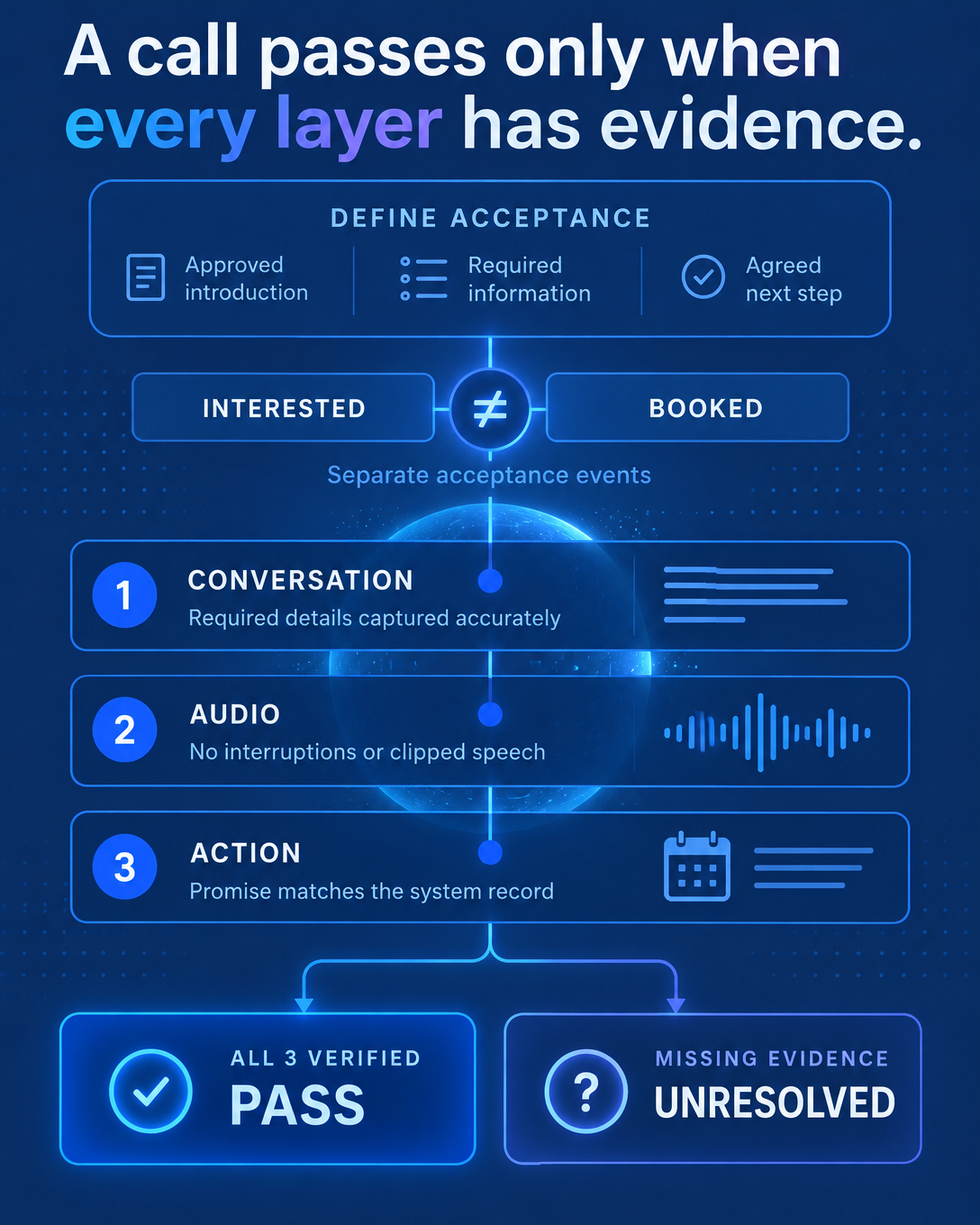
After a sales call, notes usually hold a summary: buyer priorities, objections, and next steps written as loose sentences. The next steps need a tighter shape, because someone has to act on them.
This guide shows how to turn meeting notes into a next-action record. That means one short, structured entry for each commitment, which the team can check, update and hand off.
What a Next-Action Record Contains
Each commitment from the meeting becomes one record with five fields.
Action. One specific task. “Follow up” is too vague to check. “Send the SOC 2 report to their security lead” can be checked.
Owner. One named person, on either side of the call. If nobody was named, the owner stays “unknown” until someone confirms it.
Due date. The date that was actually agreed. If no date was agreed, the field stays “unknown” until confirmed.
Status. Where the commitment stands now, using the three states below.
Source evidence. Where the commitment came from and what supports its current status: the transcript moment, the note, the email thread or the system entry.
An “unknown” field tells the team which question to ask next and keeps the record honest.
Three States to Keep Separate
“Open” and “done” are too coarse for status. We recommend three states, each tied to its own kind of evidence.
1. Promised
Someone said it would happen. The record captures the intent, who expressed it and where it was said. It carries no proof of completion.
2. Manually Confirmed
A person checked and marked it done, such as a rep noting that the proposal went out. It is stronger than a promise but rests on someone's word, so note who confirmed it and when.
3. Completion Verified Through a Connected System
A system that is actually connected to your workflow recorded the event, and the record points to that specific entry. If the connection doesn't exist, this state doesn't apply.
Read each system entry narrowly, for exactly what it records:
A calendar entry proves a meeting was scheduled. Attendance needs its own evidence.
An email send log proves a message left your system. Delivery and opening are separate facts.
A CRM stage change proves someone updated the deal. Customer agreement has to come from the customer.
An Illustrative Example
The following example is illustrative only and does not describe a real customer.
On a discovery call, a buyer says: “If your team can share the data retention policy by Friday, I'll bring our IT lead to the next session.” The record could look like this:
Record 1. Action: share the data retention policy. Owner: the account executive named on the call. Due date: Friday, as agreed. Status: promised. Source evidence: the transcript moment of the request.
Record 2. Action: the buyer brings their IT lead to the next session, if the policy arrives by Friday. Owner: the buyer. Due date: unknown until the next session is booked. Status: promised, conditional. Source evidence: the same transcript moment.
The “if” stays in the record. Dropping it would turn a conditional statement into a commitment the buyer never made. Once the policy goes out, Record 1 can move to manually confirmed, or to a logged send if your email system is connected. Neither proves the buyer opened it.
Putting It Into Practice
A practical starting point: take the notes from a handful of recent calls and rewrite each next step as a record. Mark every missing owner or date as unknown. Then:
Add the five fields to your note template or CRM activity.
Use the three status values and require source evidence for every status change.
Connect only the systems you trust to record events, and document what each one can and cannot prove.
CRM users are discussing the same problem on r/CRM: what people actually do with the notes they take, and an earlier August thread on handling AI note-taking for sales.
Where Vantara Fits
Vantara supports this workflow. Where meeting capture is enabled, it produces meeting notes with evidence-linked signals, so a commitment points back to the moment it was said. Weighted custom QA lets teams score calls against their own criteria. Tracked commitments carry context through known contacts and bookings, so the next call starts with what was promised.
CRM and calendar functions depend on supported, configured connections, your plan, permissions and capture availability. Sync is not automatic across the board, and task completion is never guaranteed. Details are on the Vantara Meeting Intelligence page.
FAQ
What if nobody was named as owner during the call?
Record the owner as unknown and ask someone to confirm it. Filling in a likely name makes the record look complete and hides the open question.
Does a booked calendar event count as verified attendance?
No. It verifies that a meeting was scheduled. Attendance needs separate evidence, such as a capture of the meeting or a manual confirmation.
Does Vantara update our CRM automatically?
Only through supported connections that are configured, permitted and included in your plan. Check which actions your setup supports before relying on them.
If you want to see how next-action records could work with your own calls and connected systems, book a short Vantara demo.